In MEMORY mode on the BOSS GX-100, individual effects can be toggled on/off using the ASSIGN SETTINGS. This allows footswitches to be assigned to specific effects, enabling quick control during performance without leaving MEMORY mode.
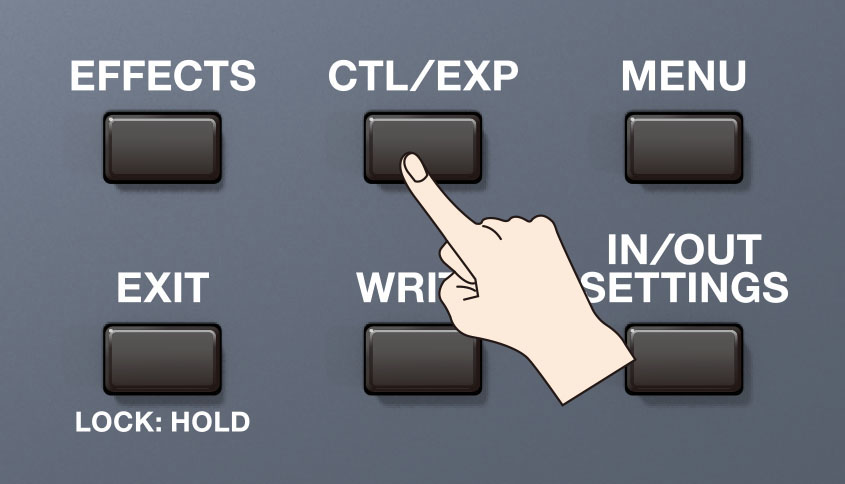
- Press the CTL/EXP button.
- Touch ASSIGN SETTINGS on the touch screen.
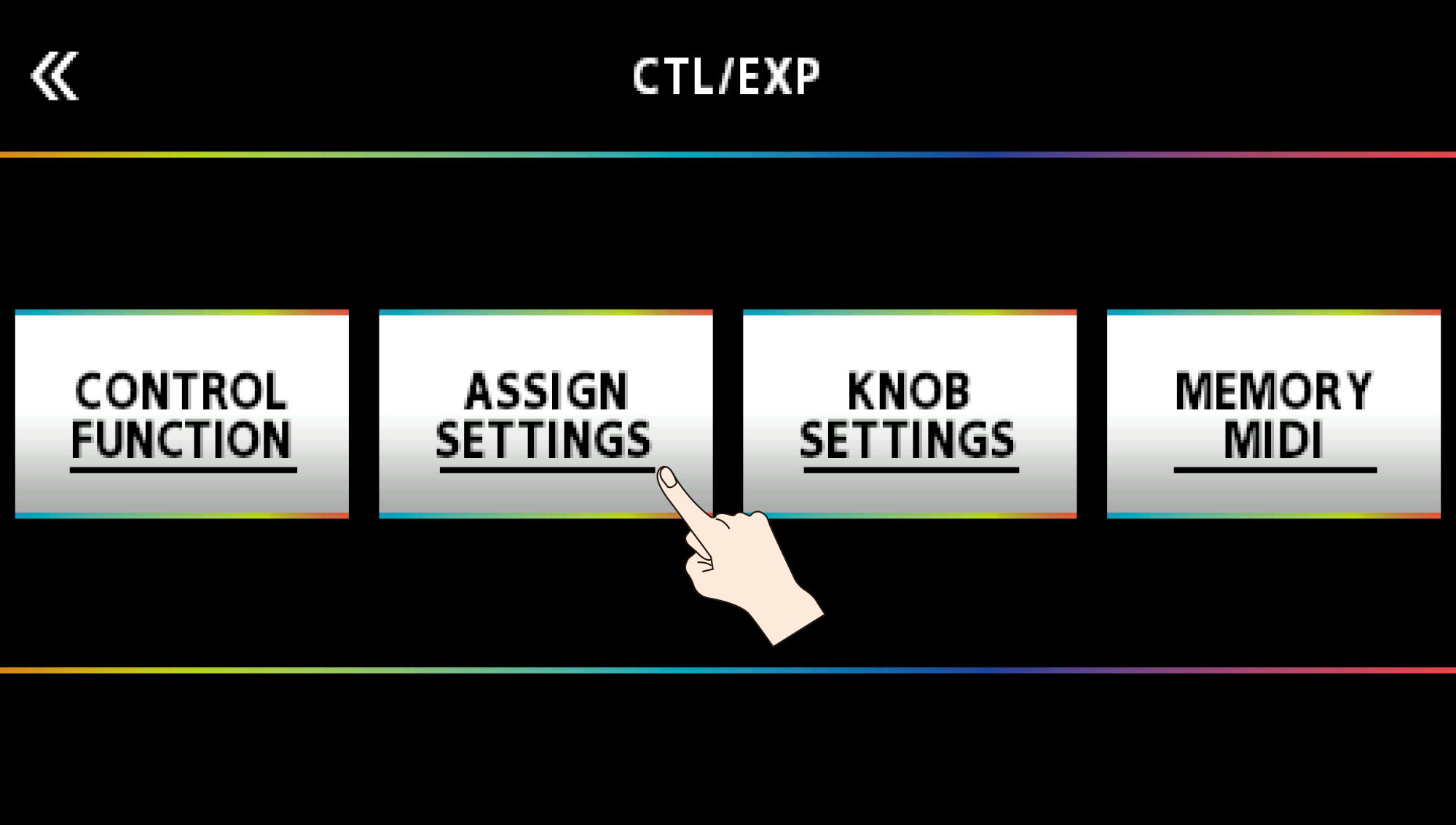
From here, you will see the ASSIGN SETTINGS screen.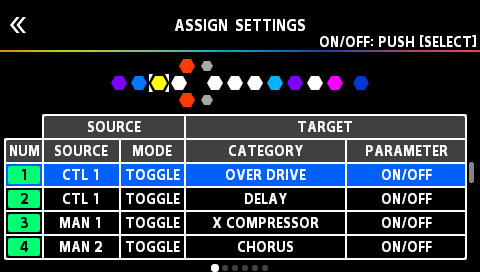
- Turn the [SELECT] knob to select an ASSIGN NUMBER.
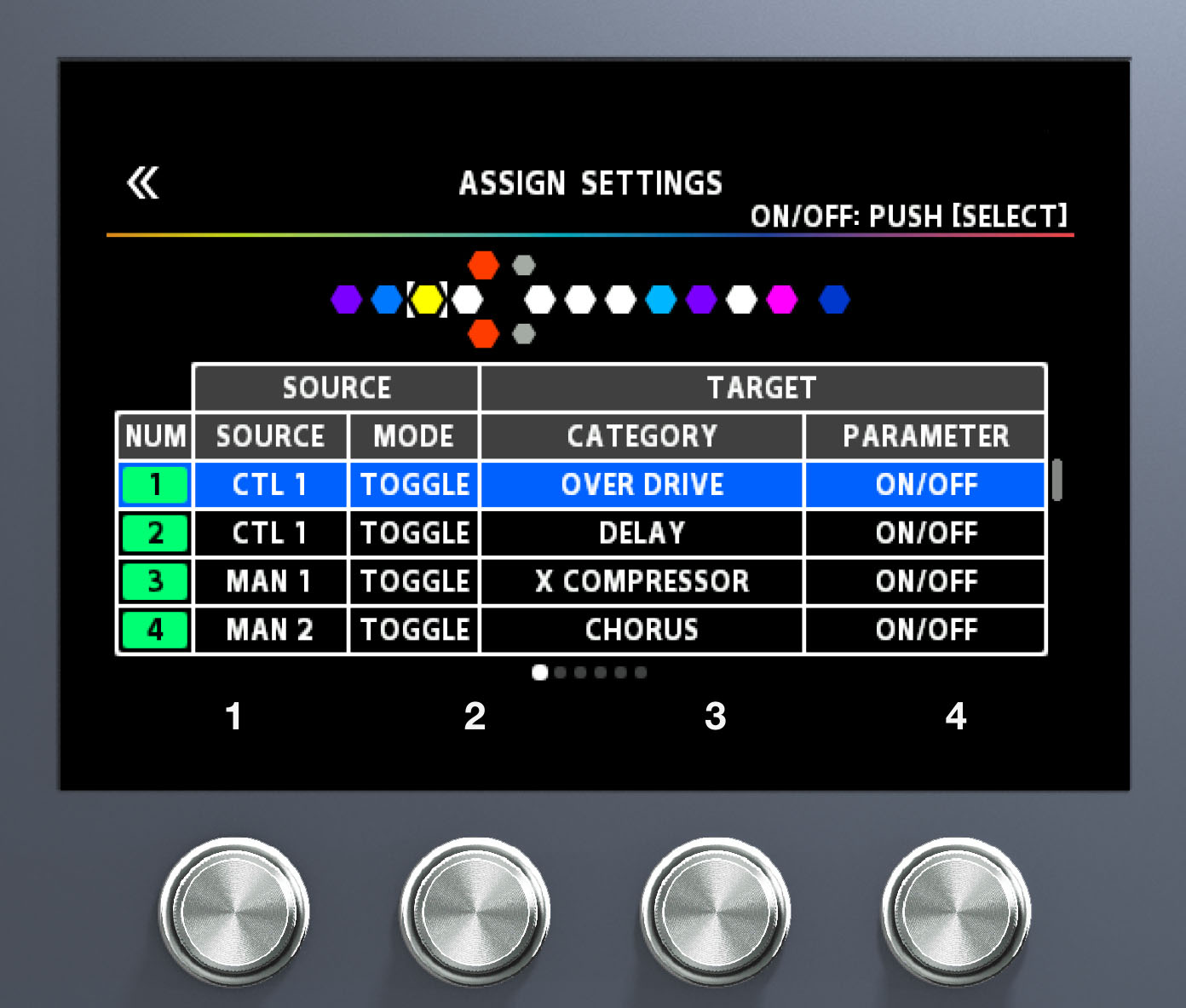
- Use knobs [1]–[4] to set SOURCE, CATEGORY, and PARAMETER (use the PAGE [<][>] buttons to switch between pages). For SOURCE, select the footswitch to use. CUR NUM assigns the current Memory footswitch (1–4). External footswitches connected to the CTL 3,4/EXP 2 jack (e.g., BOSS FS-6 or FS-7) can also be used.
- Press the [SELECT] knob to toggle the ASSIGN on/off.
The NUM cell is highlighted in green when the ASSIGN is on. - Repeat for additional ASSIGNs as needed.
- Press the [WRITE] button and follow the prompts to save to the current User Memory.
Notes:
- Multiple ASSIGNs can be set to one footswitch to toggle multiple effects simultaneously (e.g., DELAY + REVERB).
- ASSIGNs are saved per memory and cannot be applied system-wide. Use CONTROL FUNCTION for system-wide settings.
- If a CTL FUNCTION is also assigned to the same footswitch, turn off the CTL FUNCTION if the default behavior is not needed.
- Up to 20 ASSIGNs are available per memory.
For the difference between CONTROL FUNCTION and ASSIGN, refer to BOSS Device Control Function VS. Assignments Explained.
Refer to "ASSIGN SETTING" in the GX-100 Reference Manual for the full parameter list.