The BOSS GX-100's Looper can be used to dial in the sound for a specific room or venue. By recording a loop phrase and adjusting parameters remotely via the BOSS Tone Studio app, the sound can be fine-tuned while standing at the listening position.
Requirements:
-
BT-DUAL Bluetooth Audio MIDI Dual Adaptor (sold separately) connected to the GX-100
Refer to "Wireless connection with a mobile device" in the GX-100 Reference Manual for setup instructions. - BOSS TONE STUDIO (BTS) for GX-100 app installed on a mobile device (iOS / Android)
Follow the steps below:
- Add the LOOPER to the end of the effect chain in the target memory.
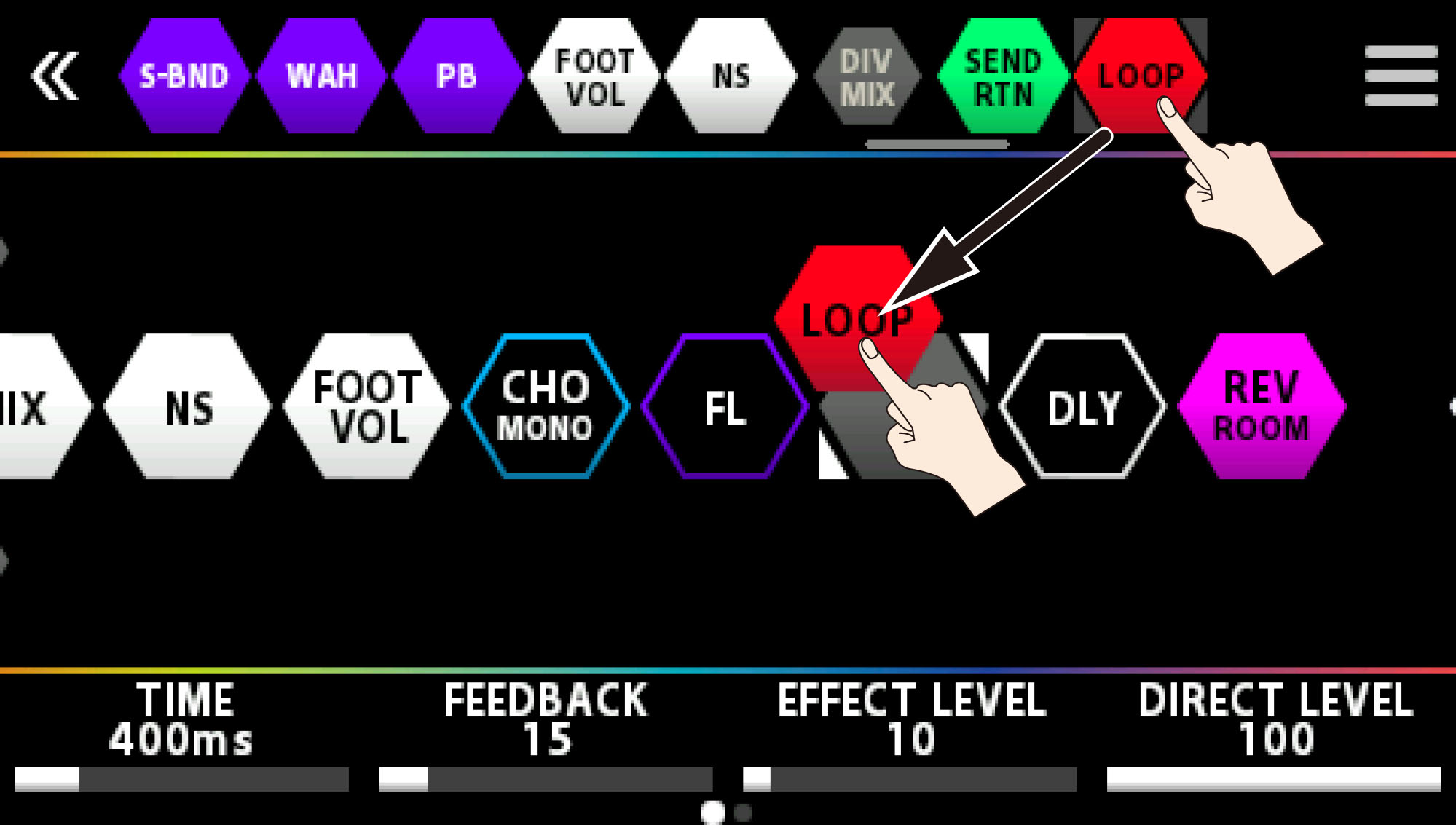
- Assign the Looper's record/play functions to a CTL switch.
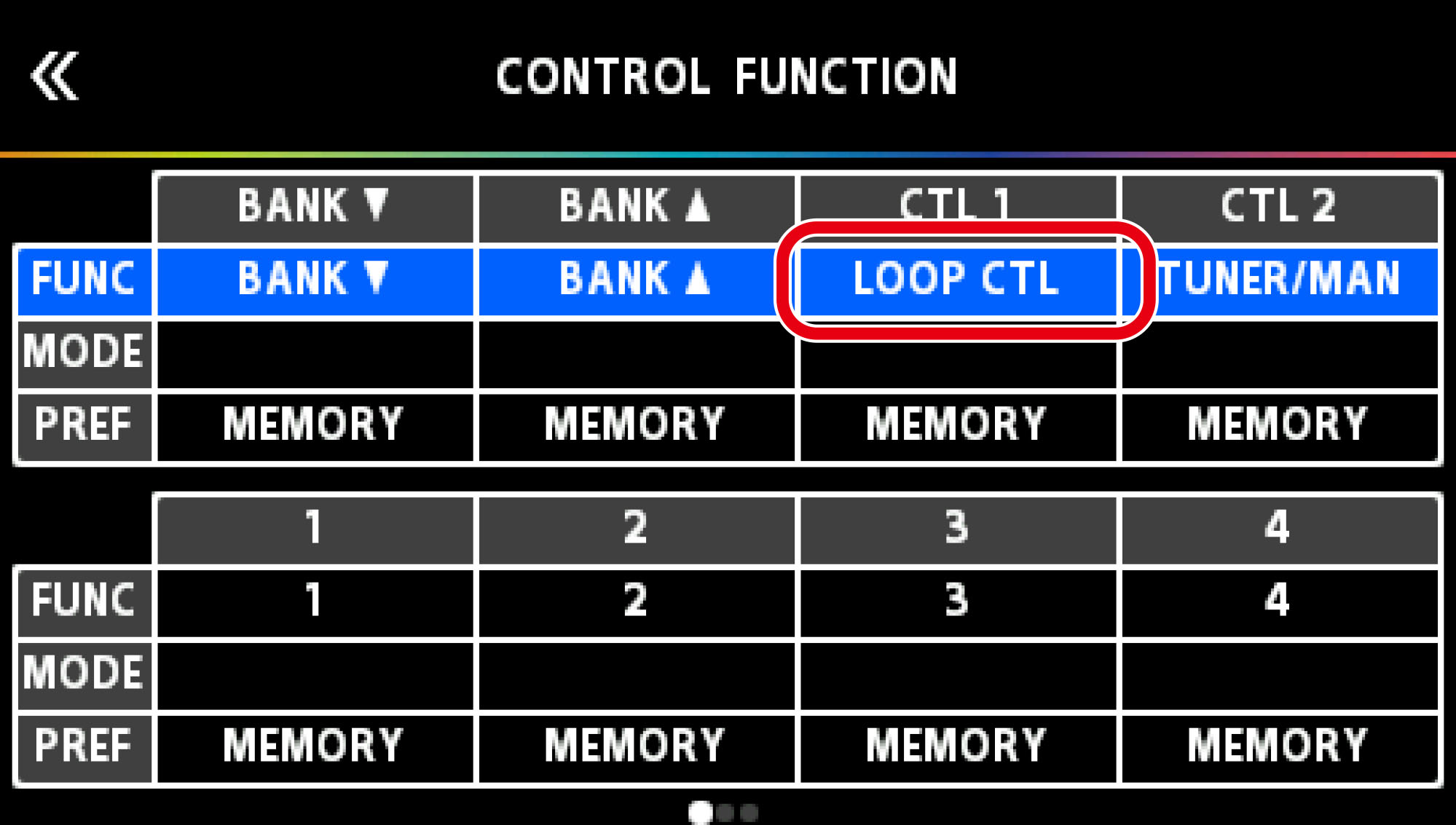
- Press the assigned CTL switch to start recording. Press again to stop recording and start loop playback.
- Standing at an appropriate distance from the speakers, use the BOSS Tone Studio app to adjust EQ, LEVEL, and other parameters to suit the room.
- Save the memory using the WRITE function on the GX-100 or in the BTS app.
Note: If the Looper is no longer needed, delete it from the effect chain.