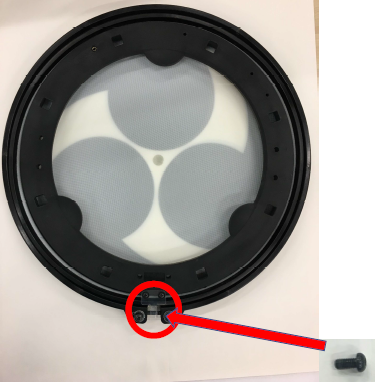
Attaching the "locking screw" to the outer rim of the dedicated mesh head for TAIKO-1 (REGULAR TYPE/HARD TYPE, sold separately) allows you to use it as a replacement.
- The frame is only for supporting the shape of the mesh head, so it does not work as a replacement part.
Follow the steps below to attach the outer rim.
- Also, refer to TAIKO-1 Replacing the Mesh Head (Regular Type) or TAIKO-1 Replacing the Mesh Head (Hard Type).
- Use the included hex wrench to loosen the locking screw (counterclockwise) and remove it.
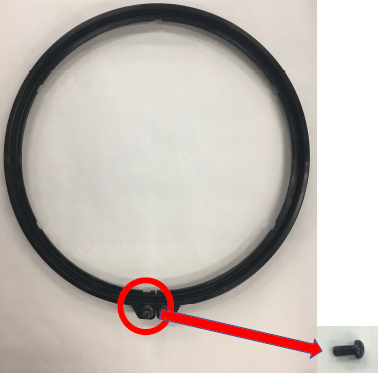
See the following video to learn about the position of the locking screw. - Using the locking screw removed in Step 1, attach the outer rim included with the mesh head for the TAIKO-1.