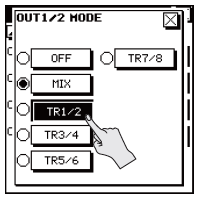
The R-88 allows you to choose what will be output of each XLR out. The choices are tracks 1/2, 3/4, 5/6, 7/8 or MIX (the R-88's internal mixer).
- Press the [MENU] button and then select "OUTPUT SETUP."
- Select the output (OUT 1/2–7/8 MODE) you want to change the setting. The mode setting for each output is located on page 2/2. Touch to
 access 2/2.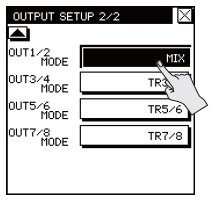
- Select the audio (track) that you want to output.