When using the included wireless mic for the first time, the BA-55 must detect the mic you’re using. This process is called “pairing.” Once the wireless mic has been paired, the connection will be remembered even while the BA-55’s power is switched off. The next time you turn on the power, the mic will already be paired.
Note: 3rd party microphones can't be used with the BA-55. The wireless receiver built into the BA-55 can only receive radio waves from a Roland DR-WM55 wireless microphone.
Pairing to the WIRELESS 1 channel
- Turn on the power of the BA-55 while holding down the [CHIME] button.
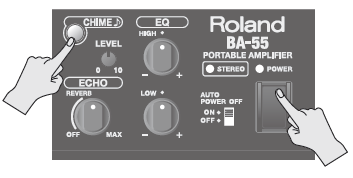
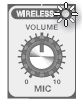
- Hold down the [CHIME] button until the WIRELESS 1 indicator blinks. The BA-55 will enter pairing mode. In this example, we’ll pair the wireless mic with the WIRELESS 1 channel.
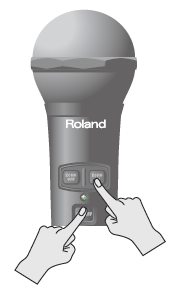
- Turn on the power switch of the wireless mic while holding down the [ECHO ON] switch.
The BA-55 will automatically detect the wireless mic. When the connection has been established, the blinking will change to steadily lit. Pairing is now complete.
When pairing is completed, the system will return to normal operating mode.